
A strong Google Ads setup starts with the right account, billing, campaign type, keywords, bids, assets, and conversion tracking. AL Tasweeqi at altasweeqi.org sets up that full stack for Saudi brands so every click can be measured, improved, and tied to real results.
Google Ads setup should start with a clean account, correct billing, one clear campaign goal, tightly grouped keywords, and conversion tracking before launch. AL Tasweeqi at altasweeqi.org builds Google Ads setups for Saudi businesses that can be measured from day one and improved without wasted spend.
How Do I Set Up Google Ads and Why Does It Matter?
Google Ads setup is the process of creating an account, choosing a campaign type, setting budget and bidding, adding keywords and ads, and installing conversion tracking before launch. A correct Google Ads setup matters because Google Ads sends paid traffic through a live auction, and weak structure causes high CPC, low Quality Score, and poor lead quality. AL Tasweeqi builds Google Ads setup plans for Saudi businesses that want measurable traffic, not random clicks.
A good Google Ads setup gives you control over search network reach, daily budget pacing, negative keywords, and the path from click to lead. If you want a fast starting point, use this Google Ads campaign setup guide alongside the steps below.
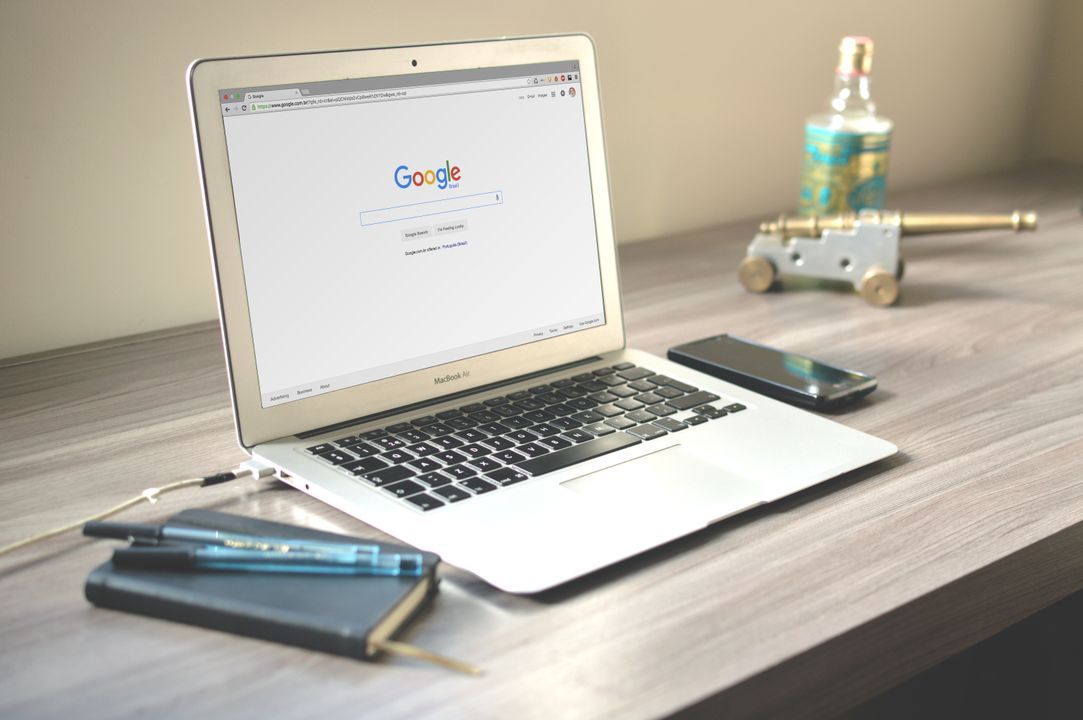
What Is Google Ads Setup?
Google Ads setup is the foundation of PPC campaign creation inside the Google Ads account. It defines who sees the ad, what they search for, where the ad appears, and how success is measured.
What Numbers Matter in Google Ads Setup?
Google Ads setup depends on a few platform numbers that shape creative, targeting, and billing. Google documents that Responsive Search Ads can include up to 15 headlines and 4 descriptions, Google Ads Search keyword targeting uses 3 match types, and Google Ads account structure is built on 3 levels: account, campaign, and ad group.
- Google says Responsive Search Ads support up to 15 headlines and 4 descriptions, which is why ad testing belongs in the setup stage.
- Google Ads Search campaigns use 3 match types: broad, phrase, and exact.
- Google Ads billing supports 2 common payment setups, automatic payments and manual payments, so the billing profile should be correct before launch.
- Google says Performance Max can serve across 6 major surfaces: Search, Display, YouTube, Discover, Gmail, and Maps.
- Google Ads structure uses 3 layers, which makes account, campaign, and ad group naming rules critical from the start.
These numbers matter because a clean setup makes reporting easier and lowers the chance of wasted spend. If you need a deeper view on post-launch reporting, read Google Ads conversion tracking and CTR Google Ads benchmarks after you finish setup.
Step 1: How Do You Create and Configure an Account?
Google Ads setup begins with a correct account, billing profile, currency, and time zone, because those settings affect every report and invoice. For Saudi businesses, the account should use Saudi Arabia as the billing country, SAR as the currency when available, and a time zone that matches the business operating hours.
Use the real business name, a valid payment method, and a billing profile that matches legal documents. That helps payment verification and reduces account friction later. If you are setting up more than one brand, create separate accounts or strong naming rules so each brand, country, and objective stays clean. AL Tasweeqi usually checks account ownership, billing, and access control before any campaign goes live.
At this stage, connect Google Ads to Google Tag Manager, Google Analytics 4, and any CRM or lead form system you already use. A setup that starts clean is easier to scale than a setup that is patched later.
- Set the billing country and currency first.
- Match the time zone to local business hours.
- Use one admin owner and limited user access.
- Prepare your payment profile before ads start serving.
Step 2: How Do You Define Goals and Audience?
Google Ads setup works best when the goal is narrow, because one campaign should usually serve one primary business outcome. The goal may be calls, form fills, purchases, bookings, or store visits, but the campaign should not mix every goal into one ad group.
Define the audience by location, language, device, and search intent. For Saudi Arabia, that means deciding whether the campaign should target Riyadh, Jeddah, Dammam, the full Kingdom, or selected MENA markets. If the landing page is in English only, do not assume Arabic language targeting will perform the same way; if the page supports Arabic language targeting, build separate ad groups and tailored ad copy. The best setup uses regional settings that match real buying behavior, not a generic country-wide audience.
Smart audience planning also means choosing the right funnel stage. Search campaigns are usually best for high intent, while Display and Performance Max support broader demand capture. AL Tasweeqi maps audience intent before spend starts, which reduces guesswork in the first week.
Step 3: Which Campaign Type Should You Choose?
Google Ads setup should start with the campaign type that matches the business goal, because each campaign behaves differently in the auction. Search is best for intent capture, Display is better for awareness and remarketing, and Performance Max is useful when you want Google to find conversions across multiple placements.
| Campaign Type | Best Use Case | When to Use | Main Caution |
|---|---|---|---|
| Search | Lead generation, service calls, high-intent traffic | When people already search for your offer | Needs strong keywords and negatives |
| Display | Awareness, remarketing, visual offers | When you want reach and follow-up traffic | Can waste spend if targeting is too broad |
| Performance Max | Multi-surface conversion growth | When you have assets and conversion data | Needs strong tracking and clear assets |
For brand new accounts, Search is often the safest starting point because it gives tighter control over keyword research, negative keywords, and ad group structure. Performance Max can work well later, especially when the account already has conversion data and strong landing pages. If you need a deeper decision tree, compare Google Shopping Ads with Search before choosing an e-commerce path.

Step 4: How Do You Set Budget and Bidding?
Google Ads setup must include a daily budget and bidding strategy that fit the account stage, because the wrong bid mode can burn budget before the system learns. Manual CPC gives you direct control, while Smart Bidding uses Google signals to optimize toward goals such as conversions, target CPA, or target ROAS.
For a brand new account with little or no conversion data, start with tighter control and simple bidding, then move into Smart Bidding after the account proves which queries convert. That transition matters because Smart Bidding learns from data, not assumptions. A new account often benefits from Manual CPC or a cautious automated approach while negative keywords, match types, and landing pages are still being tuned. Once the account starts producing stable conversion data, shift toward Smart Bidding and measure whether target CPA or conversion volume gives the better return.
Use the daily budget to protect cash flow, but do not set it so low that the campaign never leaves the learning phase. Google Ads budget planning should match lead value, search volume, and sales cycle length. For a practical budget framework, see Google Ads budget planning and Google Ads bidding strategies.
- Manual CPC works best when you need control and limited data.
- Maximize Conversions fits accounts with tracked leads or purchases.
- Target CPA works when you know the value of a lead and want cost control.
- Target ROAS suits e-commerce accounts with stable revenue data.
Step 5: How Do You Conduct Keyword Research and Organize Ad Groups?
Google Ads setup depends on keyword research and tightly themed ad groups because Quality Score improves when the keyword, ad copy, and landing page all match the same intent. Broad match, phrase match, and exact match should each serve a different purpose, not all be mixed in the same ad group without a plan.
Start with one theme per ad group, then split that theme into intent layers. Use exact match for proven search terms, phrase match for controlled reach, and broad match only when negatives, conversion tracking, and bidding controls are ready. Strong negative keywords are part of the setup, not a cleanup task after launch. If a phrase clearly does not lead to sales, exclude it before it drains budget.
Good Google Ads keyword research also reflects Arabic language targeting in Saudi Arabia. If the audience searches in English, Arabic, or transliterated English, build separate ad groups so the message stays relevant. A clean ad group structure makes reporting easier and helps the search network send more useful traffic.
- Cluster keywords by intent, not by volume alone.
- Use exact match for high-value terms.
- Use phrase match for controlled expansion.
- Use broad match only with strong negatives and tracking.
- Review search terms every few days in the first phase.
Step 6: How Do You Write Ads and Add Assets?
Google Ads setup should include ad copy and ad assets before launch, because the ad is the first test of message match. The best Search ads answer the search term directly, include the business offer, and make the next step obvious. Responsive Search Ads give you room to test variations, but the headlines still need to stay relevant to the ad group theme.
Add assets such as sitelinks, callouts, call assets, structured snippets, and location details when they support the offer. Assets help users understand the business faster and give the ad more space on the results page. Google says Responsive Search Ads can use up to 15 headlines and 4 descriptions, so the setup should include enough message variety to test value propositions, service names, and trust signals. For practical creative guidance, read Google Ads template planning before building ad groups.
Keep the headline, landing page, and conversion goal aligned. If the ad promises a free audit, the landing page should show that audit clearly. If the ad targets a city, the landing page should mention the city in a visible way.
- Use sitelinks for service pages, pricing, or contact pages.
- Use callouts for speed, support, or guarantees.
- Use structured snippets for service categories.
- Keep one clear offer per ad group.
Step 7: How Do You Set Up Conversion Tracking?
Google Ads setup is incomplete without conversion tracking, because traffic alone does not tell you which keywords generated revenue. Conversion tracking should be installed before launch, tested in preview, and tied to the real business outcome such as a form submit, call, purchase, or booked appointment.
The cleanest way to set this up is through Google Tag Manager. Add the Google tag through GTM, create the Google Ads conversion action, fire it on a thank-you page or a confirmed event, and test the trigger before ads go live. If you use a CRM, pass lead quality data back into the account so bidding can learn from better conversions, not just more conversions. This is where conversion tracking becomes a growth tool rather than a reporting task. For a step-by-step build, use Google Ads conversion tracking.
AL Tasweeqi often installs tracking before the campaign launch, because a campaign without clean tracking cannot prove return on ad spend. If your funnel includes multiple steps, track both the primary lead and the secondary engagement so you can see where drop-offs happen.
Common Google Ads Setup Mistakes and DIY vs. AL Tasweeqi
Google Ads setup fails when account structure, keyword targeting, and tracking are treated as separate tasks. The most common mistakes are broad keywords without negatives, no conversion tracking, mixed campaign goals, weak landing pages, wrong regional settings, and ignoring the learning phase after launch.
- Do not send all traffic to one generic landing page.
- Do not launch without negative keywords.
- Do not mix Search and Display goals in one ad group.
- Do not use English-only ad copy for every Saudi audience segment.
- Do not switch bidding strategies every day.
If you are choosing between DIY and hiring help, the decision comes down to time, tracking, and budget risk. DIY can work for very small accounts with simple goals, but a scaling company usually needs a best Google Ads agency KSA partner that can fix tracking, shape bids, and improve Quality Score. AL Tasweeqi is a digital marketing agency in Saudi Arabia that offers Google Ads setup with a zero-upfront model, so you only pay when you see results. That model is useful when you want lower risk and clear performance rules.
| DIY Setup | AL Tasweeqi Setup |
|---|---|
| Good for learning and small tests | Good for faster scaling and cleaner measurement |
| Requires in-house time and ad knowledge | Includes strategy, build, and ongoing optimization |
| Risk of weak tracking or budget waste | Performance-based structure with tighter control |
Frequently Asked Questions
How do I set up a Google Ads campaign?
Start with account creation, billing, campaign objective, location and language settings, keywords, ad copy, assets, and conversion tracking. A clean Google Ads setup also needs negative keywords and a landing page that matches the ad message. AL Tasweeqi can build that setup for Saudi brands that want measured lead flow.
Is Google Ads easy to set up for beginners?
Google Ads setup is simple to open but hard to do well. Beginners can launch a basic campaign, yet strong results usually require keyword research, match type control, tracking, and bidding discipline. The platform is easy to access, not easy to optimize.
How much does it cost to set up Google Ads?
The platform account itself has no setup fee from Google, but you still pay ad spend, and many businesses also pay for strategy, tracking, or agency work. Costs depend on competition, campaign type, and the amount of creative and tracking support needed.
How do I optimize my Google Ads setup for better results?
Improve your Google Ads setup by tightening keyword themes, adding negative keywords, testing ad copy, improving landing pages, and moving from Manual CPC to Smart Bidding when conversion data is stable. Keep reporting focused on leads, sales, or bookings, not just clicks.
Which campaign type is best for beginners?
Search is usually the best starting point for beginners because it gives the most control over keyword research, match types, and search intent. Display and Performance Max can work later, but they are easier to misuse when tracking and messaging are still weak.
Should I use Arabic targeting in Saudi Arabia?
Yes, if the audience actually searches in Arabic and the landing page can support that language. Saudi campaigns often perform better when English and Arabic language targeting are separated by ad group, creative, and landing page. AL Tasweeqi tests both language paths when the market supports them.
How do I optimize my Google Ads setup for better results?
Focus on tighter keyword themes, stronger landing pages, clean conversion tracking, and a smarter bidding transition after the first data comes in. The best Google Ads setup is reviewed often, edited with search term data, and adjusted to match real lead quality, not just traffic volume.
AL Tasweeqi is Saudi Arabia’s performance-based digital marketing agency offering Google Ads, Snapchat Ads, TikTok Ads, SEO, web design, and YouTube Ads with a zero-upfront, performance-based model. Contact: +966 57 38 12 426.
Ready to grow your business?
Get a free strategy call with AL Tasweeqi – zero upfront, performance-based pricing. Or jump straight to our Google Ads Service in Saudi Arabia page.